Convert your WordPress site into a static site built for coding agents.
Same pages, same URLs, same design, checked pixel by pixel. No PHP, no plugins, no database. Files your coding agent can edit.
Real conversions
Drag the line. Left is WordPress, right is the static build.
Three sites we converted with the same process your site goes through.
- See the static build of sxsw.com (opens in a new tab)
sxsw.com
- pages
- 71
- media files
- 916
 Static
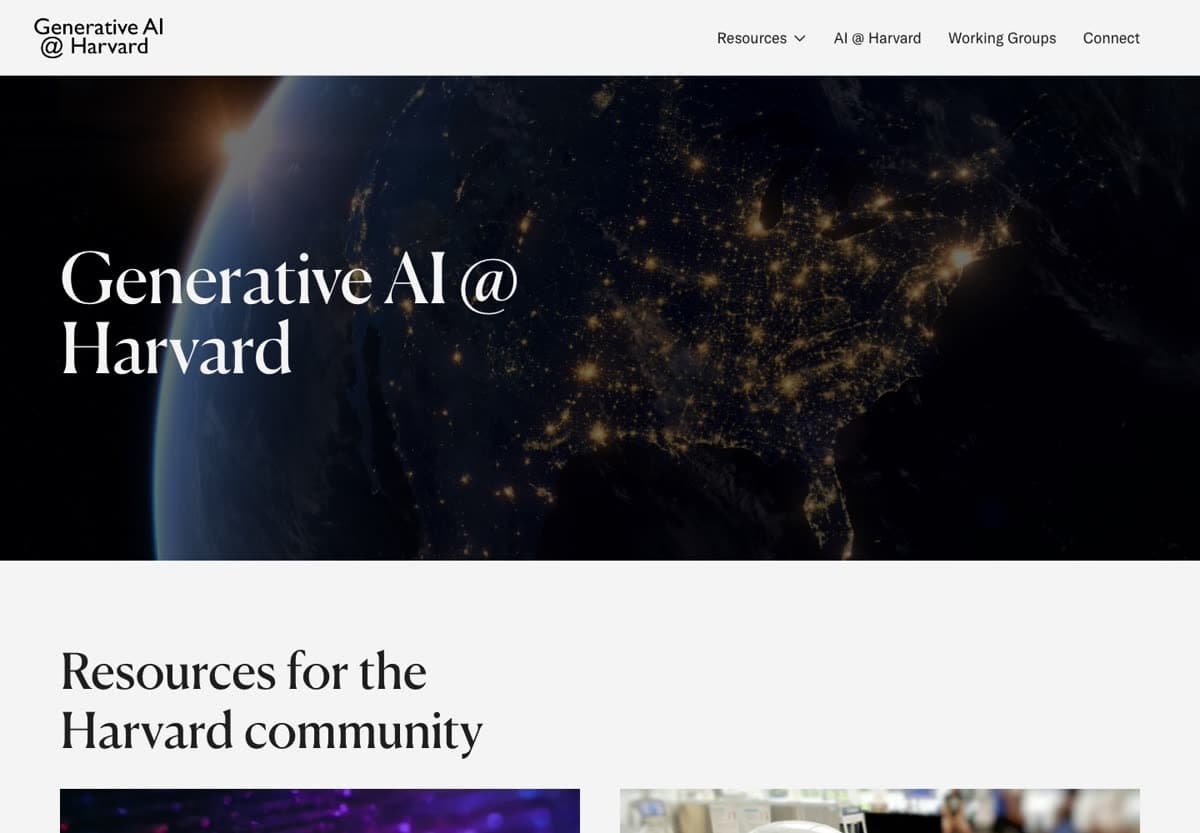
 - See the static build of harvard.edu (opens in a new tab)
harvard.edu
- pages
- 457
- media files
- 2,537
 Static
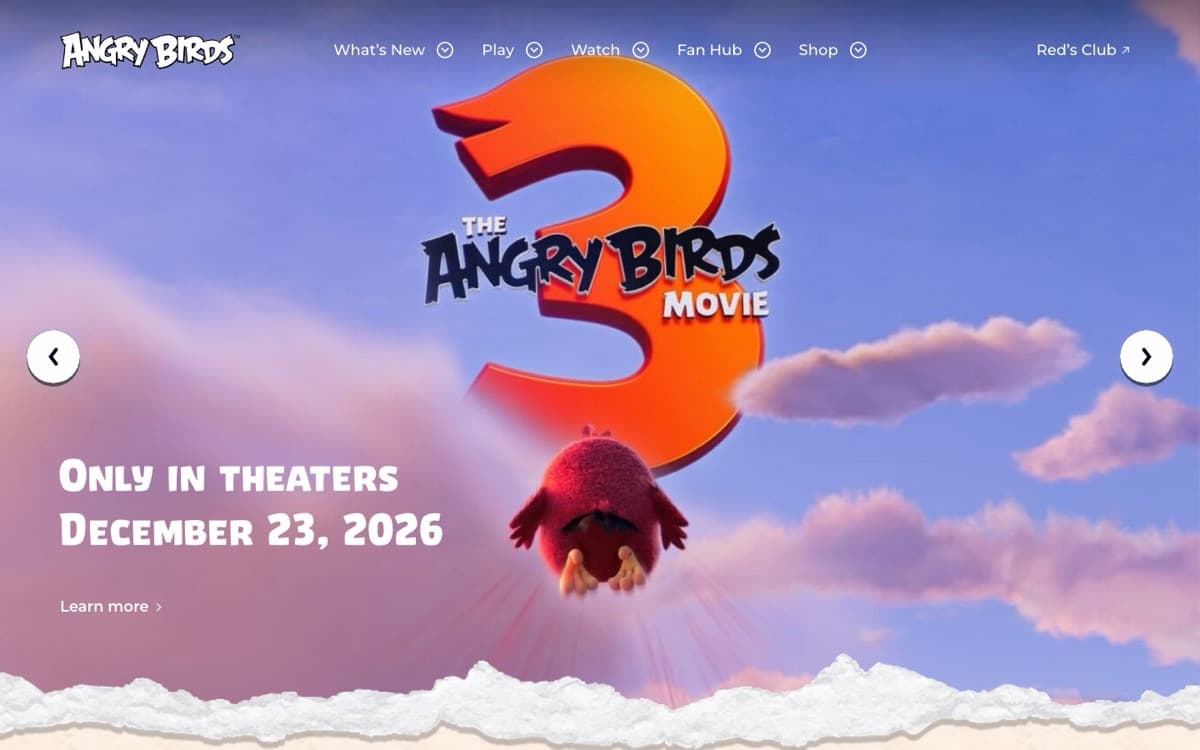
 - See the static build of angrybirds.com (opens in a new tab)
angrybirds.com
- pages
- 388
- media files
- 15,715
 Static

Why static
A static site has nothing to hack, nothing to patch and nothing to pay for.
A WordPress site is a program running on a server. A static site is a folder of files. Most of the difference follows from that.
Nothing to hack
WordPress runs PHP, plugins and a login page on a server that someone has to keep patched. A static site is files on a CDN: no PHP, no plugins, no database and no login page. There is nothing for these attacks to hit.
Recent attacks on PHP and WordPress
PHP shipped emergency patches for two critical flaws, nicknamed PHP2Shell (CVE-2026-109618 and CVE-2026-109619, CVSS 9.2). One unauthenticated web request could run code on the server before WordPress or any other application code loaded. Every PHP installation serving web requests was at risk, and the only fix was to update. Within a day, Cloudflare counted exploit attempts going from tens of thousands to millions.
Attackers exploited a flaw in the Bricksforge WordPress plugin that let anyone upload and run PHP without logging in.
Faster
Pages are files served from a CDN close to each visitor. No database query and no PHP running on every visit, so your Core Web Vitals get better.
Costs nothing to run
Free hosting, and we set it up. No managed-WordPress bill, no plugin renewals, no maintenance plan.
Nothing to maintain
No updates to run, and no “a plugin update broke the site”. No database to back up.
For coding agents
Edit your site by asking for what you want.
A coding agent is an assistant, such as Claude, ChatGPT or Grok, that can read and change files. You describe the change in plain English, and it makes it.
Works with
- Claude
- ChatGPT
- Grok
- Gemini
- GitHub Copilot
- Cursor
It works on plain files
WordPress keeps your content in a database and spreads your design across a theme, plugins and page-builder settings, where an agent cannot see them. A static site is a folder of files it can read top to bottom.
Nothing goes live until you say so
Every change arrives as a pull request: a proposed change with its own preview link. You look, then merge, so asking can never break the live site.
You do not need to know code
“Swap the hero photo and make the button green” is a complete instruction. The agent finds the right files and makes the change.
Any agent, any time
The files are standard, so you can switch tools whenever you like. You can also hand them to a developer.
Change the hero on the home page to announce the spring sale and make the button green
I will change two files, then build the page and compare it with the current one.
- src/pages/index.astro: new headline and line
- src/styles/buttons.css: primary button to green
Hero copy and button colour · 2 files changed
Preview link
Looks good, merge it
Merged. Live in 40 seconds.
Everything set up for you
We do the setup. You own the result.
The code, in your own GitHub
We hand over the site as a project in your GitHub account. Until you connect it, we keep it in ours for you.
Free hosting, set up for you
We deploy it to Vercel on the free plan and connect the preview, so every pull request gets its own link.
You own all of it
The code, the hosting account and the domain are yours. No subscription, no lock-in. Leave whenever you like.
How it works
Four steps, and you can watch all of them.
- 01
We read your site while you watch
Type your domain. A script counts your pages, posts and media and checks for anything a static site cannot do. About twenty requests, no guessing.
- 02
We convert it and check it against the original
We capture every page, rebuild it as static files, then compare each one with your live site at phone, tablet and desktop widths.
- 03
You preview it and approve it
You get a link to the new site next to your current one. Click through, compare, and tell us if anything needs a change.
- 04
We hand it to you
We set the site up on your own accounts, with free hosting, and show you how to point your domain at it. From then on it is yours.
Questions
What people ask before they start.
What happens to my forms?
A static site has no server of its own to receive a form, so each form sends to an endpoint you name: a form service you already use, your CRM, or your own API. The scan counts your forms before you pay, and we list each one in the handover.
Does my URL structure change?
No. Every page and post keeps its address, and the redirects your site does today (http to https, with or without www) carry over.
Can I keep editing the site?
Yes. Edit the files yourself, ask a developer, or point a coding agent at the repository: it works with Claude Code, Codex, Cursor or any agent that reads files. Every change is a pull request you can review.
What about WooCommerce?
We do not convert stores with a cart or checkout, or sites behind a member login. The scan checks for both, and if it finds one there is no pay button, just a way to email us.
What do I receive?
A Git repository with the converted site, deployed to free Vercel hosting that we set up, and a live preview link to compare with the original. You own the code and the hosting. Pointing your domain at it is the last step, and it stays in your hands.
How long does it take?
About one business day from payment for sites with up to 500 pages and posts, about two for up to 2,000. Larger than that, email us first. Your order page shows each step as it happens, and if we cannot deliver you get your money back.
Something else? hello@clonewp.com